 Morph Flow
Support
Last updated November 27, 2026 · Setsquare Labs
Answers to the questions players ask first. Can't find yours? Write to support@setsquarelabs.com; a person reads every message.
Playing
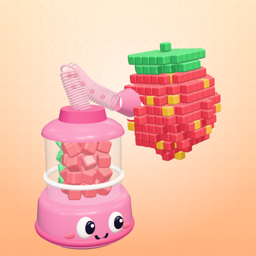
- How do I play? Tap a vacuum to send it to the dock. Each vacuum slurps the cubes of its own color on the side facing you, so drag to turn the sculpture. The dock has only a few slots, so pick your order. Clear every cube to finish the morph.
- Stuck? A hint lights up the best vacuum to send next, and Undo sends the last vacuum back. When you run out, use coins or watch an optional video for one more.
Purchases
- Restore purchases is in the Shop (tap Shop or your coins on the home screen) and in Settings (the gear). Tap it while online, with the same Apple Account (iPhone and iPad) or Google account (Android) you bought with. Remove Ads and the Starter Pack's Royal Velvet turntable come back. Coin packs, and the coins, hints and undos in the Starter Pack, are added once and can't be restored.
- Purchases are made with your Apple Account or your Google account. We never see your payment details.
- For a refund on iPhone or iPad, use Apple's Report a Problem page. On Android, use Google Play's refund request.
Ads
- Remove Ads turns off the ad breaks between levels for good. The optional reward videos stay available (double coins, free coins in the Shop, or an extra hint, undo or dock slot), and watching one is always your choice.
- A video didn't load? Videos need an internet connection. Check you're online and try again in a moment.
- In the EEA, the UK and Switzerland, Ad privacy choices in Settings changes what Google may use for ads.
Your progress
Your progress lives on your device only, with a backup copy inside the app. There is no account and no server, so it doesn't move between devices or between iPhone and Android, though your device's own backup (iCloud, or Google's backup on Android) can bring it to a new device. Deleting the app deletes your progress, and we can't restore it. See Privacy for what the game keeps and what Google AdMob collects.
Reminders
Daily reminders are off unless you turn them on. Switch them in the game's Settings (Daily reminders) or in your device's notification settings.
Contact
Email Setsquare Labs at support@setsquarelabs.com, or tap Contact support in the game's Settings. Tell us your device model, its iOS, iPadOS or Android version, the level number and what happened, and attach a screenshot if you can.